Add the event essentials
Enter the guest of honor, date, time, venue, and RSVP contact details you want shown on the invitation.
Personalized birthday invitations with AI
Make a birthday invitation around your party, not a generic layout. Add the guest of honor and event details, choose a theme and style, then sign up for one free generation.
Pick a starting point
Browse first birthday, kids’ birthday, adult birthday, and photo invitation designs. Choose a template to load its style and starting details into the generator.
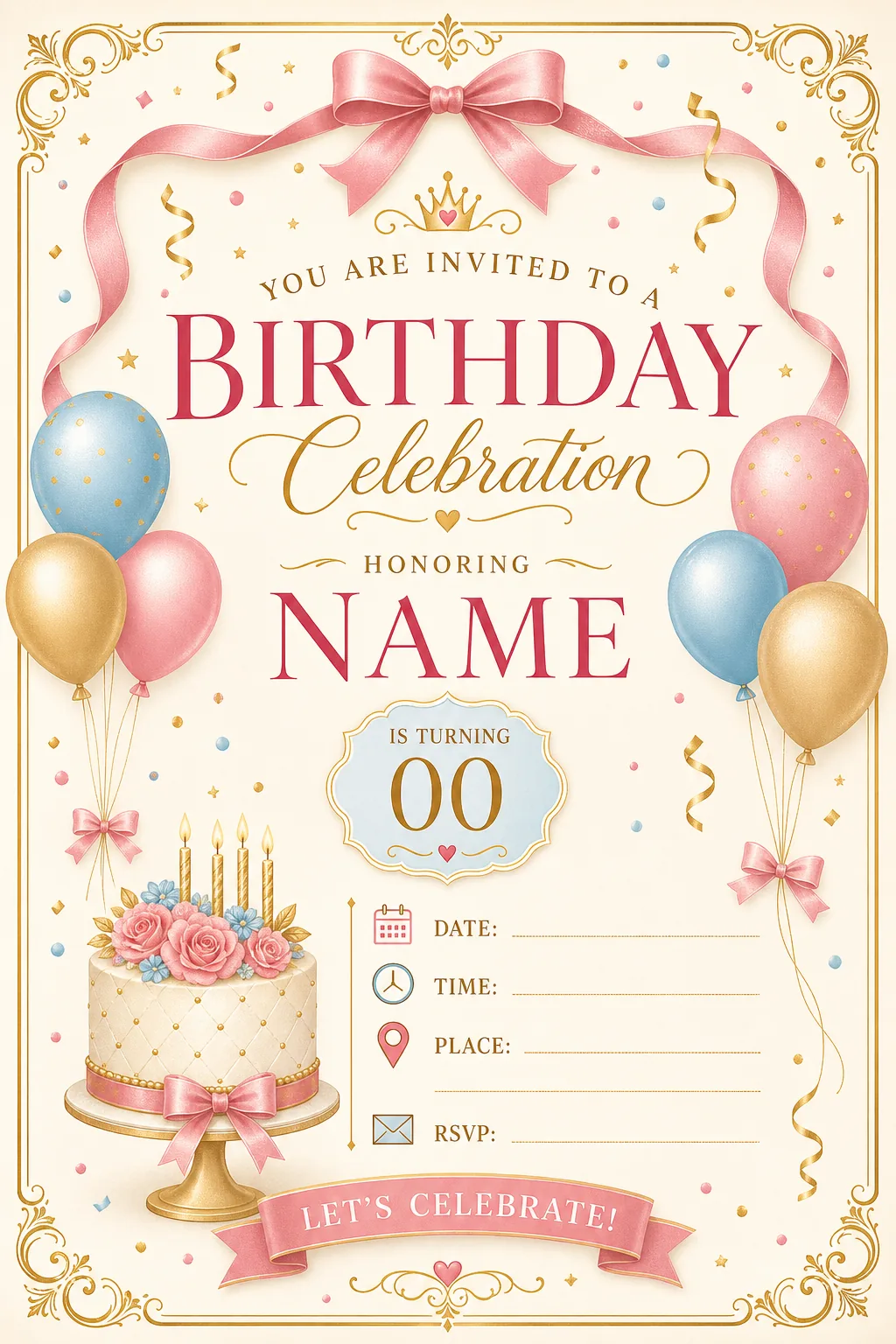
Start from a birthday invitation template, then tailor its theme, event details, and style with AI. This saves time searching for a close match or arranging a blank canvas.
Enter the guest of honor, date, time, venue, and RSVP contact details you want shown on the invitation.
Choose a template or describe a look, from dinosaurs and princesses to a relaxed backyard or pool party.
Choose available styles and colors, and upload an optional photo for the design.
Create an account to receive one free generation. Add details in the form and review the invitation before sharing it.
Use the birthday invitation generator in three simple steps.
Enter the guest of honor, date, time, and venue or event link.
№ 02Describe the celebration and select the design options that fit your idea.
Sign up for your free generation, check names and event details, then download the PNG.
Build a birthday party invitation around the people, age, and plans you are celebrating.
Try colorful ideas such as dinosaurs, unicorns, princesses, or a favorite adventure theme.
Make the age the focus for a first, 18th, 21st, 30th, or another milestone celebration.
Set a mood for a dinner, pool party, backyard gathering, or retro-themed night.
Add an optional photo to make the invitation feel more personal. Review the generated image before using it.
Download your invitation as a PNG to send by text, email, or your preferred social app. You can also explore printing it yourself; check the image dimensions and print quality for your chosen format before ordering or printing.
Illustrative sample profiles and quotes below are fictional examples, not verified customer reviews. Replace them with permission-based customer feedback before presenting them as real testimonials.
“I wanted a dinosaur theme for my son’s party, but the designs I found did not feel quite right. Adding the theme and party details gave me a useful place to start.”
Birthday Invitation · Parent and teacher
“I could describe the garden dinner I was planning and get an invitation concept that felt closer to the evening than a generic birthday layout.”
Birthday Invitation · Event coordinator
“For my 21st, I wanted a retro disco look. I added the age and theme, then checked the details before downloading the invite.”
Birthday Invitation · College student
“The form made it easier to pull together the date, time, and location while I worked on a simple pool-party idea for my family.”
Birthday Invitation · Small business owner
Answers about making, customizing, sharing, and pricing a birthday invitation online.
Enter the birthday person and required event details, choose a theme and available design options, then generate your invitation. Review the names, date, time, and venue before downloading the image.
Creating an account includes one free generation. Additional use depends on the credit packs or plans currently available in the pricing section.
A template starts with a premade layout that you customize. This AI birthday invitation card generator uses the details and theme you enter to create a personalized image. Choose the approach that best fits your needs.
Include the guest of honor, date, time, and venue or event link. You can also add an age, theme, colors, invitation wording, and RSVP contact details for guests to use.
Yes. The form supports an optional photo upload. AI-generated images may change or interpret photo details, so review the result before sharing it.
No. This tool creates an invitation image; it does not collect RSVPs, send reminders, or manage a guest list. Share the image and handle replies through your preferred channel.
You can download the invitation as a PNG and explore printing it. Check the image dimensions and the print provider’s requirements first, since print results depend on the chosen size and printer.
Add the milestone age and a matching theme in the form. For more age-specific ideas, explore the 1st birthday and 18th or 21st birthday invitation pages linked below.
You can download the invitation as a PNG. Watermark-free output and commercial-use terms depend on the plan or credit package available at the time of purchase. Check the current pricing details and Terms of Service before publishing or selling a design.
Continue with a different birthday design or find ideas for a specific milestone or guest group.
Add the event details, choose a theme, and create a custom invitation image. Sign up to get one free generation.
Pick your creative rhythm
Choose one-time credits or a recurring plan for your birthday designs.